
Orto: License Plate VIN Lookup
Orto Industries LLCAuto & Vehicles
4.53.97K Reviews
- Version
- 6.0.2
- Installs
- 500.00K
- Age Rating
- Everyone
Screenshots
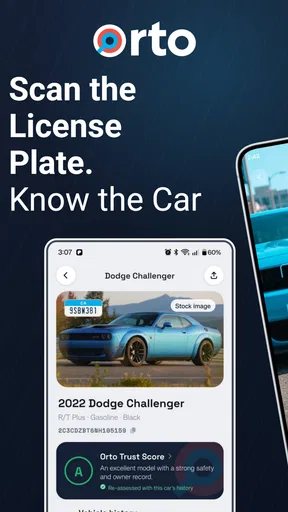
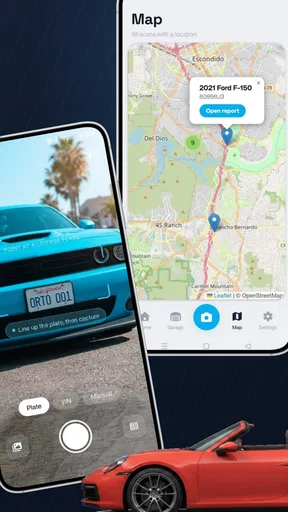
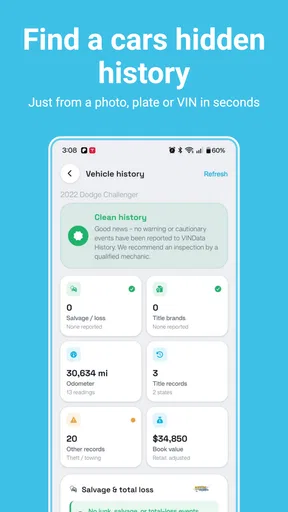
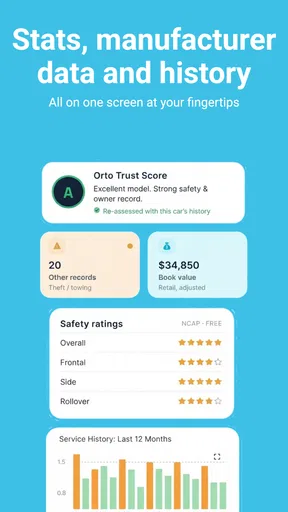
Our Review of Orto: License Plate VIN Lookup
 Analysis by Appyee
Buying a used vehicle often starts with a small amount of information: a license plate, a VIN, or a seller’s promise that everything is fine. Orto: License Plate VIN Lookup is built for that first check. It is a free Auto & Vehicles app from Orto Industries LLC that brings together vehicle identification, title checks, recall information, value research, and history-related searches in one mobile workflow.
I found the app most useful when I treated it as a screening tool rather than a final verdict. It can help me decide whether a vehicle deserves a closer look, whether I should ask the seller better questions, and whether a suspiciously attractive listing needs extra caution. That distinction matters: a lookup app can improve a buying decision, but it cannot replace a physical inspection, a test drive, or careful paperwork review.
The app has earned a 4.5 average from around 9.6 thousand ratings and has passed 500 thousand installs, which suggests that it has found a real audience among people researching vehicles. It is rated for Everyone, so the interface and purpose are accessible to a broad audience. I would still expect the most value from adults comparing used cars, checking a vehicle before meeting a seller, or trying to understand a car they already own.
How I would decide whether Orto fits my vehicle research
I’d judge the fit by how often vehicle research comes up in your life and what you need from a first check. If you regularly compare used-car listings, keeping a lookup tool handy can make those quick decisions more organized; if you rarely shop for vehicles, the app may have little reason to stay on your phone. That leads to the more important question: whether its usefulness continues after the first few searches.
Start with the information you actually have
The first decision is not whether this is the best vehicle-history service in every situation. It is whether it matches the identifier available to you. If a seller gives you a VIN, the app’s VIN decoder is the natural starting point. If you only have a license plate, the plate lookup is more practical. That flexibility is one of the reasons I would keep it installed while browsing local listings.
A VIN is generally more useful for identifying a specific vehicle because it follows the vehicle itself, while a plate may change during ownership or registration. I would therefore use the plate search as a convenient opening check, then ask for the VIN before making a serious decision. If a seller refuses to provide the VIN for a vehicle they expect me to buy, that would concern me more than any individual result inside the app.
Before searching, I would copy the identifier carefully instead of typing it from memory. A single mistaken character can lead to an unhelpful result or make the information appear inconsistent. I would also compare the returned vehicle details with the listing: body style, model information, and other identifying details should make sense together. The app is most valuable when I use it to catch mismatches, not when I accept every result without checking.
Use the app as a sequence, not a single yes-or-no answer
My preferred workflow is to begin with identity, move to history and title information, review recalls, and then consider value. That order prevents the price estimate from becoming the main focus too early. A vehicle can look inexpensive for good reasons, and a value indication should not distract me from a title problem or an unresolved safety issue.
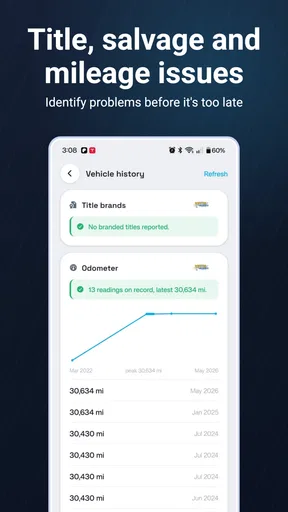
The title check is particularly important when a listing uses reassuring language such as “clean,” “well maintained,” or “no issues.” Those phrases are not substitutes for documentation. I would use the app to create questions for the seller: Is the title branded? Has the vehicle moved between states? Are there records that explain an unusual history entry? The result is not merely something to glance at; it is a prompt for a more disciplined conversation.
Recall information deserves a separate look because it is easy to overlook during an exciting purchase. If the app flags a recall, I would not automatically reject the vehicle. Instead, I would ask whether the repair was completed and request supporting paperwork. An open safety recall can affect how urgently I arrange a service visit, while a completed recall is a different situation. The practical value here is helping me remember a check that a quick walk-around cannot provide.
Where the app is strongest
Orto works best when speed and convenience matter. I can imagine standing in a parking lot, looking at a private-sale vehicle, and wanting a structured starting point before spending time on a mechanic’s inspection. A quick lookup can reveal enough context to decide whether the car is worth the next step. That is a better use of time than arranging an inspection for every vehicle that appears attractive in a listing.
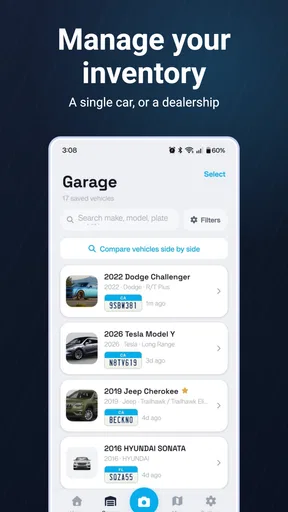
It is also useful during comparison shopping. Suppose I have several similar cars saved on my phone. Rather than comparing only mileage and asking price, I can check each identifier and note which vehicles deserve closer attention. The non-obvious benefit is that the app helps turn a vague browsing session into a repeatable process: identify, check, question, inspect, and only then negotiate.
Another strong use is preparing for a conversation with a dealer or private seller. I would run the search before calling, write down anything that needs clarification, and avoid making accusations based on a single entry. This approach keeps the discussion practical. “Can you explain this history item?” is more useful than assuming the seller intentionally hid something.
Three habits that make the results more useful
First, I would save the search context outside the app by noting the vehicle identifier, listing price, seller’s claims, and the date I checked it. This is not busywork. Listings can change, and my memory tends to blend details from several cars. A simple note helps me compare the app’s information with the advertisement and with documents shown later.
Second, I would run the lookup before becoming emotionally attached to a vehicle. It is much easier to evaluate an inconvenient result when I have not already imagined owning the car. This is especially helpful with rare colors, unusually low prices, or vehicles that appear only briefly in a local market. The app is most powerful early in the process, when switching to another listing costs almost nothing.
Third, I would treat a clean-looking result as permission to investigate further, not as permission to skip inspection. Vehicle history information can be incomplete, delayed, or dependent on what has been reported. A professional inspection can find mechanical, structural, or cosmetic problems that a digital lookup will never show. In my view, the best workflow combines Orto’s research with a cold start, a road test, and an independent inspection.
Value research needs context
The value feature can help me recognize an asking price that deserves scrutiny, but I would not use it as a precise negotiation command. Vehicle value changes with mileage, trim, condition, location, service history, tires, modifications, and local demand. Two cars that appear identical in a basic search can be worth very different amounts after a hands-on inspection.
I would use the value indication to form a range of questions. If the price is well above what I expected, I would ask what equipment, maintenance, or condition justifies it. If it is far below, I would look for title issues, accident history, deferred repairs, or seller urgency. The useful insight is not the number itself; it is the way the estimate changes what I inspect and negotiate.
Where a different category may fit better
Orto is a mobile lookup tool, so it suits people who want to research vehicles while shopping. A government or official registration source may be more appropriate when I need authoritative information about current registration, legal ownership, or a local administrative matter. A manufacturer’s recall page may be preferable when I am verifying a specific safety campaign and want to follow the repair process directly.
A dedicated paid vehicle-history report may fit a buyer who is already committed to one vehicle and wants the deepest report available from that service. I would not assume that a general lookup app and a specialized report contain identical records. The right choice depends on the stage of the purchase: Orto is attractive for screening several candidates, while a more formal report may make sense before handing over a substantial amount of money.
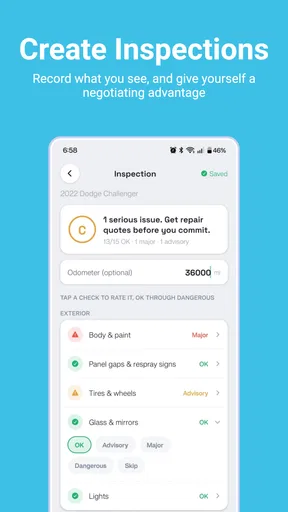
A mechanic is the better alternative for questions about condition. No app can listen to an engine, measure brake wear, inspect a frame, evaluate transmission behavior, or identify a repair that was done poorly. If the vehicle is expensive, unusually old, heavily modified, or involved in a serious accident history, I would put more of my budget into an independent inspection rather than relying on additional screen-based research.
What may slow you down
The biggest limitation is the natural uncertainty of history information. A search can be helpful without being complete, and a result can be accurate while still leaving important questions unanswered. I would avoid using the absence of a warning as proof that the vehicle has never had a problem. That is not a flaw unique to this app; it is a limitation of digital vehicle research generally, but it is important to keep in mind.
The app also includes in-app purchases ranging from $3.99 to $449.99 per item. Because of that wide range, I would pay close attention to the purchase screen before confirming anything. I would begin with the free experience, understand what information is immediately available, and only consider a paid option when the vehicle is serious enough to justify the expense. For casual browsing, a high-cost report would not make sense to me.
This pricing structure also changes how I compare it with alternatives. A free download is convenient, but “free” does not mean every useful lookup will necessarily remain free. I would decide my research budget before searching several vehicles, especially if I am comparing many listings. For one promising car, paying for additional information may be reasonable; for ten uncertain listings, it can quickly become poor value.
Switching from my usual research routine
The cost of switching to Orto is low if my current method is simply opening browser tabs and searching identifiers one at a time. The app gives that process a vehicle-focused home, which is easier to use while viewing listings on a phone. I would still keep my normal document checks and inspection arrangements because the app complements them rather than replacing them.
If I already subscribe to a specialist history service, switching completely may not be worthwhile. In that case, Orto could serve as an early filter, while my existing service remains the final report for a vehicle I am ready to buy. The trade-off is convenience versus duplication: using two tools can improve confidence, but it can also mean paying twice for information that overlaps.
For a dealer or frequent vehicle shopper, the decision is different from that of someone buying one car every few years. Frequent users may appreciate having plate and VIN searches in one app, but they should monitor the accumulated cost of purchases. Occasional buyers can get the most from it by using the app to eliminate bad candidates early, then spending more carefully on inspection and final documentation.
Practical answers before you install it
If you are wondering whether you need the VIN, my answer is: use the license plate when that is all you have, but request the VIN for a serious purchase. If you are asking whether a positive lookup means you can buy confidently, my answer is no. It means the vehicle has passed an initial information check and is worth evaluating with documents and a physical inspection.
If a result conflicts with the seller’s description, I would pause the deal rather than trying to explain away the difference. Ask for clarification and paperwork. A reasonable seller should be able to discuss the vehicle’s identity and history without turning a basic question into pressure to pay immediately.
If you are concerned about paying, start by deciding what the vehicle is worth to you and what level of research that decision deserves. The app is free to install, but individual in-app purchases range from $3.99 to $449.99 per item. I would never approve a purchase simply because a report appears at the end of an urgent sales conversation.
If you are buying a vehicle outside your local area, I would be especially careful about title terminology and registration practices. Use the app’s result as a lead, then confirm the relevant details with the appropriate local authority or seller documentation. The farther away the vehicle is, the more expensive a mistake becomes, so digital research should happen before travel whenever possible.
My recommendation for different buyers
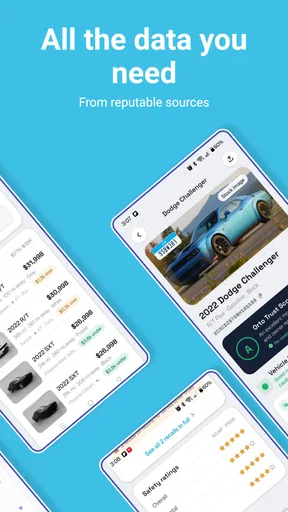
I recommend Orto to used-car shoppers who want a convenient first pass across license plate and VIN information. It is particularly suitable for comparing listings, preparing seller questions, checking recall information, and deciding which cars deserve an inspection. The combination of title, recall, value, and history-oriented research makes it more useful than a basic vehicle specification app.
I would be more cautious recommending it as the only tool for a major purchase. Buyers who need authoritative legal records, a highly detailed final report, or mechanical certainty should add official sources, specialist reporting, and an independent mechanic. People who dislike handling optional purchases should also review each checkout screen carefully, since the in-app price range is broad.
Orto Industries LLC has kept the app focused on a practical problem: turning a plate or VIN into useful questions before a vehicle purchase. The current version is 6.0.2 and it supports Android 7.0 and later, making it accessible on many older Android phones as well as newer devices. I like that its purpose is easy to understand, but I get the best results when I use it with restraint and do not mistake convenience for certainty.
My final view is simple: install it if you regularly browse used vehicles or want a quick research step before meeting a seller. Use the free entry point first, verify every identifier, record what you find, and reserve paid research for vehicles that survive the initial screening. Its real strength is helping me decide what to investigate next, not making the entire buying decision for me. Used properly, that is enough to save time, improve conversations, and avoid pursuing the wrong car.
Verdict
Strengths of Orto: License Plate VIN Lookup
- Quickly retrieves vehicle details using a license plate or VIN.
- Useful for checking basic history before buying a used vehicle.
- Simple interface that is easy for first-time users.
- Can help verify vehicle identity and spot inconsistent information.
- Convenient mobile access without visiting a dealership or registry.
Limitations of Orto: License Plate VIN Lookup
- Available vehicle data may vary significantly by country and region.
- Some detailed reports or lookups may require in-app purchases.
- Results can be incomplete if records are missing or not publicly available.
- VIN entry errors can produce misleading or inaccurate search results.
- Privacy and data-handling policies should be reviewed before submitting identifiers.
Similar Picks in This Category
View All
Android Auto
Google LLC4.1

maxim — order a taxi & food
PT. SITO4.7

Штрафы ГИБДД: проверка с фото
Pays LLC – Штрафы ГИБДД4.7

Номерограм – проверка авто
Авто Ассист4.8

Дром Авто
Дром4.9

Frequently Asked Questions
What is Orto: License Plate VIN Lookup used for?
Orto: License Plate VIN Lookup is designed to help users research vehicle information using a license plate number or VIN, depending on the country and data available. It may provide details such as vehicle identification, specifications, registration-related information, market data, or history indicators. Results can vary considerably by region, so the app should be treated as a research tool rather than an official government record or a complete vehicle-history report.
Is Orto: License Plate VIN Lookup free to use?
The app may allow users to install it for free, but some searches, detailed reports, or advanced features can require payment, credits, or a subscription. Before confirming a purchase, check the pricing screen and the terms shown in the App Store or Google Play. Availability and cost may differ by country, device, and promotion. Reviewing the renewal conditions is especially important if a subscription is offered.
Can Orto provide complete and accurate vehicle history information?
No vehicle lookup application can guarantee a complete history for every car. Orto’s results depend on the databases and public or commercial sources available for the selected country. Information may be missing, delayed, incorrectly matched, or limited to basic vehicle details. For a purchase decision, compare the report with official documents, a physical inspection, service records, and an independent mechanic’s assessment.
Is it legal and safe to search a vehicle by license plate or VIN?
Using a license plate or VIN lookup service is generally intended for legitimate purposes such as checking a vehicle you own, evaluating a car before purchase, or verifying information provided by a seller. However, privacy rules and access to registration data differ between countries. Avoid using the app to identify, track, harass, or investigate private individuals, and review Orto’s privacy policy before submitting personal or vehicle information.
What should I check before downloading and using Orto?
Before downloading Orto: License Plate VIN Lookup, confirm that the app supports your country and the type of lookup you need. Read its current privacy policy, permissions, subscription details, refund rules, and user reviews. Also check whether searches are limited by credits or daily quotas. If the app cannot find a record, do not assume the vehicle is clean; verify the information through official and independent sources.
